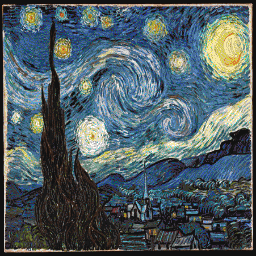
The Starry Night: 3D shades
3D Stair with Stucki preserves the brushwork’s motion and expands the blue and yellow range.
 MAPKLUSSMINECRAFT MAP ART WORKSHOP
Tool
MapKluss turns an image into buildable Minecraft map art directly in the browser. Upload an image, choose map size, tune dithering, and export Litematic, MAP.DAT, and materials.
It is built for players who need more than a quick preview. You get palette control, 2D and 3D stair modes, dithering comparisons, manual cleanup tools, materials, and build-ready exports.
3D Stair with Stucki preserves the brushwork’s motion and expands the blue and yellow range.
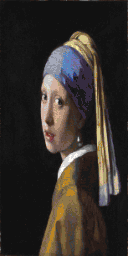
A vertical grid keeps the silhouette and face, while KlussDither softens transitions without losing the eyes or earring.
Yes. You can export a .litematic file and use it in Minecraft with Litematica.
Yes. In 3D Stair mode MapKluss uses height changes for extra shades and provides a dedicated 3D complexity preview.
No. The core workflow runs directly in the browser without normal account setup.