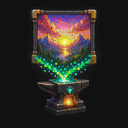
Logo: clean edges at 1×1
The MapKluss logo shows when disabling dithering preserves bold shapes and clean edges.
 MAPKLUSSMINECRAFT MAP ART WORKSHOP
Comparison
If older map-art tools feel dated, MapKluss covers the same core need but adds a deeper workflow: preview, materials, Litematic, MAP.DAT, 3D preview, and manual cleanup.
This page is not just here to attack a competitor. It answers a practical question: why a builder or content creator might switch to a more modern workflow.
The MapKluss logo shows when disabling dithering preserves bold shapes and clean edges.
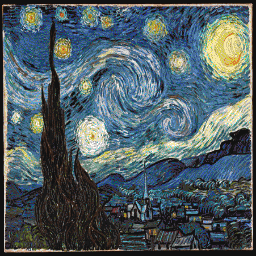
3D Stair with Stucki preserves the brushwork’s motion and expands the blue and yellow range.
The main difference is that it is not only an image converter. It supports the full build workflow: palette control, compare mode, materials, Litematic, MAP.DAT, and build tracking.
Yes. It supports multi-map grids, ZIP export for separate schematics, materials planning, and larger 2D/3D projects.
Yes. The core generator runs in the browser. The only extra tools you may need are inside Minecraft itself, such as Litematica.