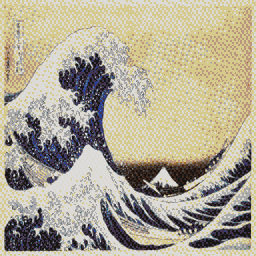
Great Wave: detail at 2×2
Blue Noise retains the print’s fine lines without turning the pale sky into a regular pattern.
 MAPKLUSSMINECRAFT MAP ART WORKSHOP
Comparison
One of the main choices in Minecraft map art is whether to build a flat 2D result or use 3D Stair for extra shades. The difference is not just visual. It affects build difficulty, supports, and how manageable the project feels in survival.
MapKluss can show both modes on the same source image and includes a schematic 3D preview. That means you can see where 3D is actually worth it and where 2D stays cleaner and easier.
Blue Noise retains the print’s fine lines without turning the pale sky into a regular pattern.
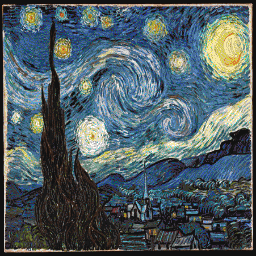
3D Stair with Stucki preserves the brushwork’s motion and expands the blue and yellow range.
When simplicity, speed, predictable materials, and a clean silhouette matter most. For many logos, pixel-art pieces, and simple scenes, 2D is the better choice.
When the source depends heavily on half-tones, shadows, and softer transitions. In those cases, height-based extra shades can noticeably improve the final art.
Use the 3D preview and materials list. If height variation and support count grow too much, it may be more practical to stay in 2D or simplify the palette.